


MC602596 · Microsoft Teams, Microsoft 365 Experts
From Microsoft Corporation
Technical Bulletin MC602596 · Published Jun 22, 2023
Message Summary
With this update, Teams Panels will support reserving a room using a QR code. This feature lets Microsoft Teams users book a room for meetings now, in the future, or add the room to an existing meeting by scanning a QR code on the scheduling panel and using the Teams app on their Android or iOS mobile phones.
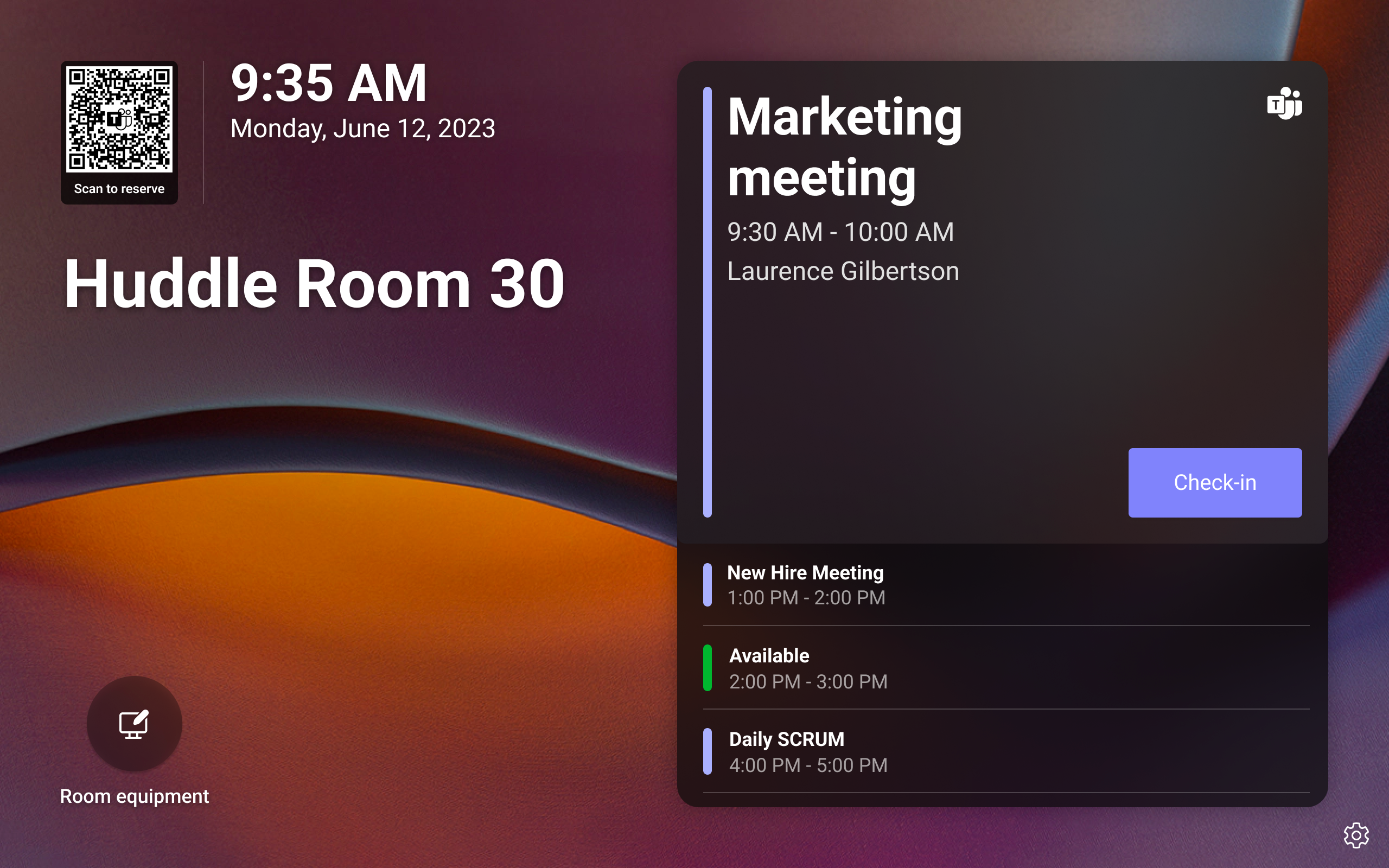
All Teams Panels will have a QR code shown in the top left of the home screen. Panels users can either schedule a new meeting with the room pre-populated for them or easily see the room’s availability for their meetings and book the room with one click.
This message is associated with Microsoft 365 Roadmap ID 129366
When this will happen:
Rollout is expected to begin in early August and is expected to be complete by early September.
How this will affect your organization:
In order to access this feature, be sure to have the most up-to-date release of Teams Panels and check that your users have access to the latest version of the Teams app on their mobile phones.
Please note the following:
- External tenants are currently not able to use this feature.
- This feature will ship default “ON”.
You can disable this feature on Teams Panels under Settings > Device settings > Teams Admin Settings > Meetings.
To reserve the room:
- Users need to scan the QR code using their mobile phone.
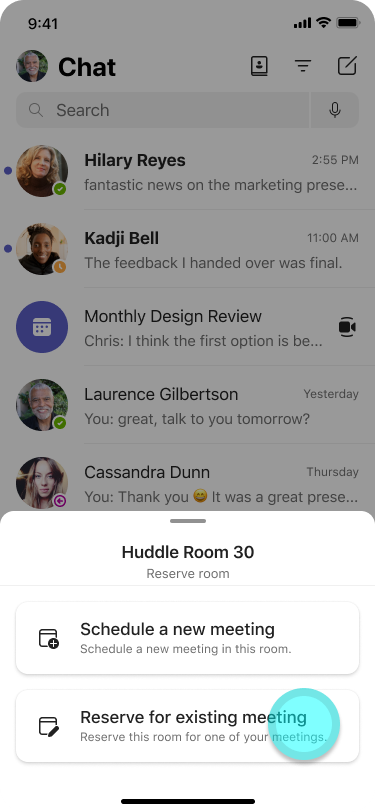
- In the Teams app on their mobile phone, users should select if they’d like to ‘Schedule a new meeting’ or ‘Reserve for existing meeting’.
- If the user schedules a new meeting, the room will be auto added as the location of the meeting. Users can then fill out the other meeting details.
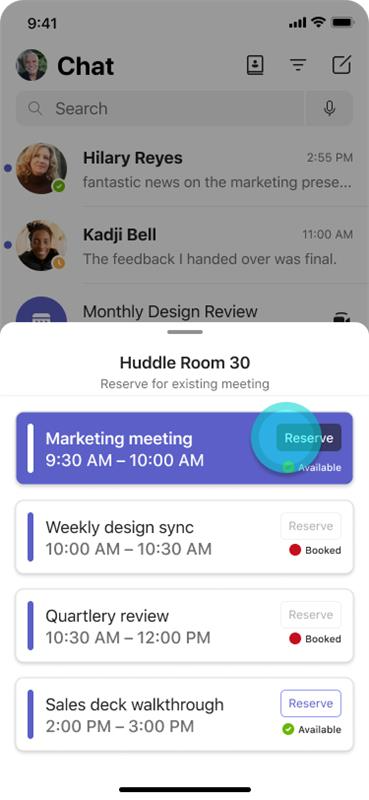
- If the user selects to reserve the room for an existing meeting that is happening between now and midnight the next day, they will be able to see whether the room is available or booked at those times and can reserve with one click.
View image in new tab
View image in new tab
View image in new tab
What you need to do to prepare:
To prepare for this incoming feature, we strongly recommend communicating this new feature to your users and share instructions if needed.
A recommended scanner for this feature is the mobile system/OS scanner on mobile phones. However, for Android, the scanning may not work if your users have both work and personal profiles on their Android phones. In this case, users will need to add mobile system/OS scanner in the work profile. To do that, follow the steps below:
- In Intune go to Apps -> Android and add
- Select Android enterprise system app
- Enter type of Android phone and Google and paste OS camera package name
- Assign to user / group of users