Microsoft Teams, Office for the Web, Microsoft 365 Experts
From Microsoft Corporation
Technical Bulletin MC436423 · Published Sep 21, 2022
Message Summary
With “Excel Live”, you can share and collaborate with Excel workbook in a meeting. This is handy when you want to get work done with your colleagues in a meeting, it seamlessly turns the meeting window canvas to an Excel workbook collaboration without having to move between windows and screens. For e.g.: Budget sheet which needs input from all participants to collaborate, contribute, review and finalize.
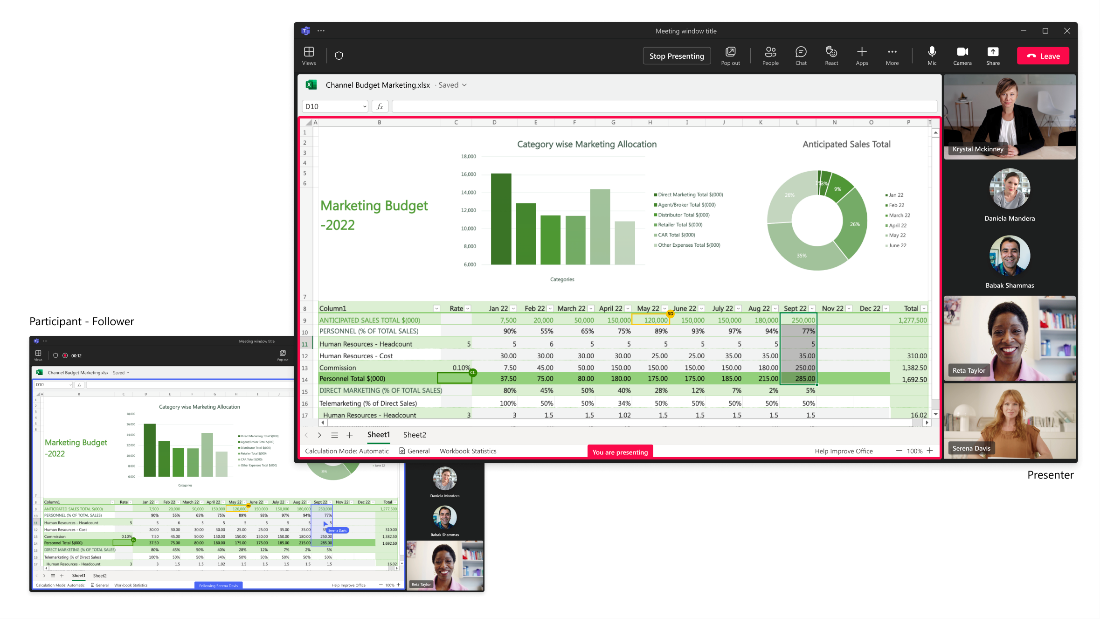
View image in new tab
- While you are in a meeting, open Share tray and scroll down to Excel Live section
- Select the Excel workbook from the Most recently used file that you want to share and collaborate with others in the meeting. If you are not able to find the Excel workbook, you can also use “Browse OneDrive” or “Browse my computer” to select the workbook.

View image in new tab
- Once the workbook is selected the share permission dialog will appear. Click share to provide access to people invited to the meeting.

View image in new tab
- The file will be loaded for all participants in Teams meeting window and ready for editing.
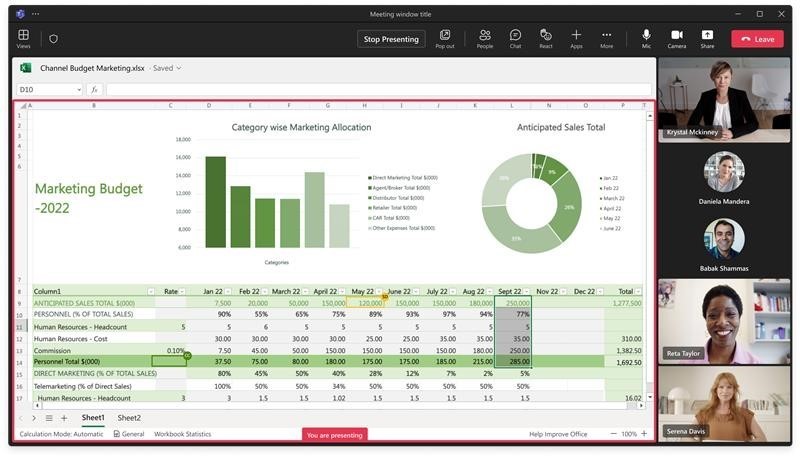
View image in new tab
This message is associated with Microsoft 365 Roadmap ID 96099
When this will happen:
Public: We will begin rolling out mid-October and expect to complete by late November.
How this will affect your organization:
Supported scenarios:
- Excel Live is supported on Desktop, Mac, and Mobile. Web support is coming soon.
- The feature is enabled by default. Specific IT admin controls will be available soon.
What you need to do to prepare:
There is no action needed to prepare for this change. You may want to notify your users about this change and update any relevant documentation as appropriate.
TECHNICAL BULLETIN END
QuixTec provides this and other technical bulletins unaltered from Microsoft. As an authorized Microsoft Partner, we ensure that all our solutions we deliver to you include the latest Microsoft updates.
ABOUT US: QuixTec, LLC is a U.S. certified Veteran Owned, modern DevOps organization with experience in a plethora of IT Software Languages. As a Microsoft Partner, we specialize in Discounted Microsoft Software Licensing, Microsoft SharePoint, Microsoft365 and HTML5 technologies for small to enterprise-sized organizations. Our dedication to IT excellence is evidenced through our PECB ISO Certification training center. The only PECB ISO authorized center in Washington State. QuixTec, implements and provides training for upcoming open-source digital marketing services that are taking the industry by storm. This solution, used by over 100,000 businesses, provides enterprise level marketing capabilities at startup rates. The founder, Richard, has 30 years of experience working with several notable companies that include World Vision, Expedia, Microsoft, Levi Strauss, NASA, Boeing Aerospace, Los Alamos National Laboratory, and the U.S. Air Force, to name a few. QuixTec is in the Seattle area. Phone today for a free consultation and project estimate.
(425) 367-9025
LEARN MORE
SharePoint Development Services – SharePoint Development - SharePoint Consultancy Services - Custom Solution Development - Microsoft 365 Experts - Microsoft 365 - IT Staffing Services - WordPress Development Services - Form Email Validation - Microsoft Licensing - Mautic Open Source Marketing – Best IT Staffing Agencies – IT Staffing Company - PECB ISO Training and Certification