


MC529415, Microsoft Teams, Microsoft 365 Experts
From Microsoft Corporation
Technical Bulletin MC529415 · Published Mar 17, 2023
Message Summary
Microsoft Teams will soon be releasing a new green screen feature for users. The virtual background with a green screen will provide an enhanced virtual background effect.
This message is associated with Microsoft 365 Roadmap ID 117941
When this will happen:
Public Preview: We will complete rollout by late March.
Standard and GCC: We will begin rolling out in mid-April and expect to complete rollout by late April.
GCC-H: We will begin rolling out in early May and expect to complete rollout by mid-May.
DoD: We will begin rolling out in early June and expect to complete rollout by late June.
How this will affect your organization:
Green screen improves the sharpness and definition of the virtual background effect around your face, head, ears, and hair. It also allows you to show a prop or other object in your hand to be more visible to other participants in a call.
Supports the following:
- Desktop platforms: Windows and macOS with Intel chips, not supporting Mac M1/M2
- Device: Requires a solid color screen or clean background wall behind you
- User Experience: Users must apply a background effect in Teams meetings to enable the green screen effect and should select the correct backdrop color so that the effect is applied correctly and better quality is achieved
Known limitations:
- Green screen will automatically disable background blur and Together Mode while being compatible with Presenter modes like Standout, Side-by-Side and Reporter, PowerPoint Live Standout, and background replacement (JPEG/PNG).
- Transparent or translucent objects cannot produce a good green screen effect.
- If the object is too thin, it cannot be properly detected.
To enable:
Please make sure that you have applied a background effect in Teams meeting before enabling the green screen effect and chosen the correct backdrop color so that the effect is applied correctly. Please also ensure you have a solid color screen or clean background wall behind you.
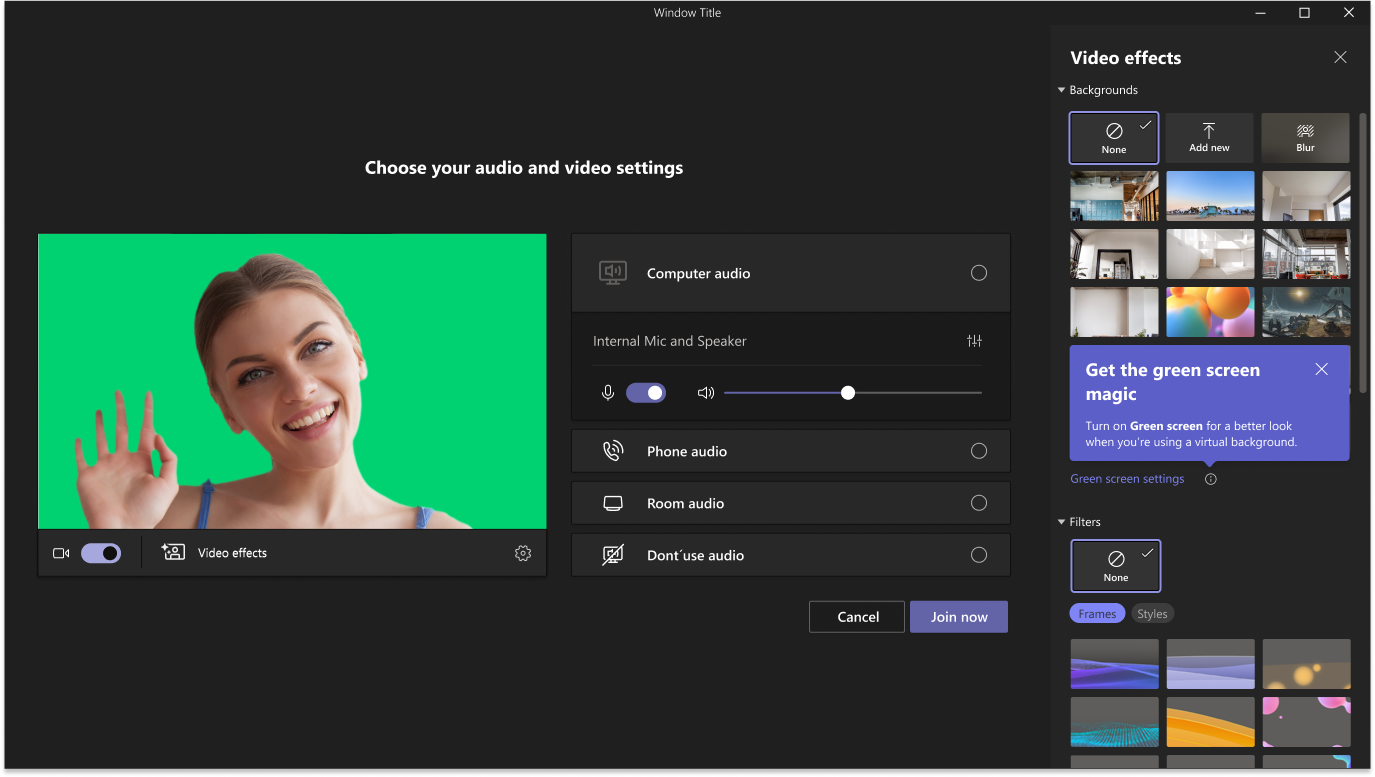
- After you join a meeting, click the “More” icon in the meeting toolbar, go to “Video effects.”
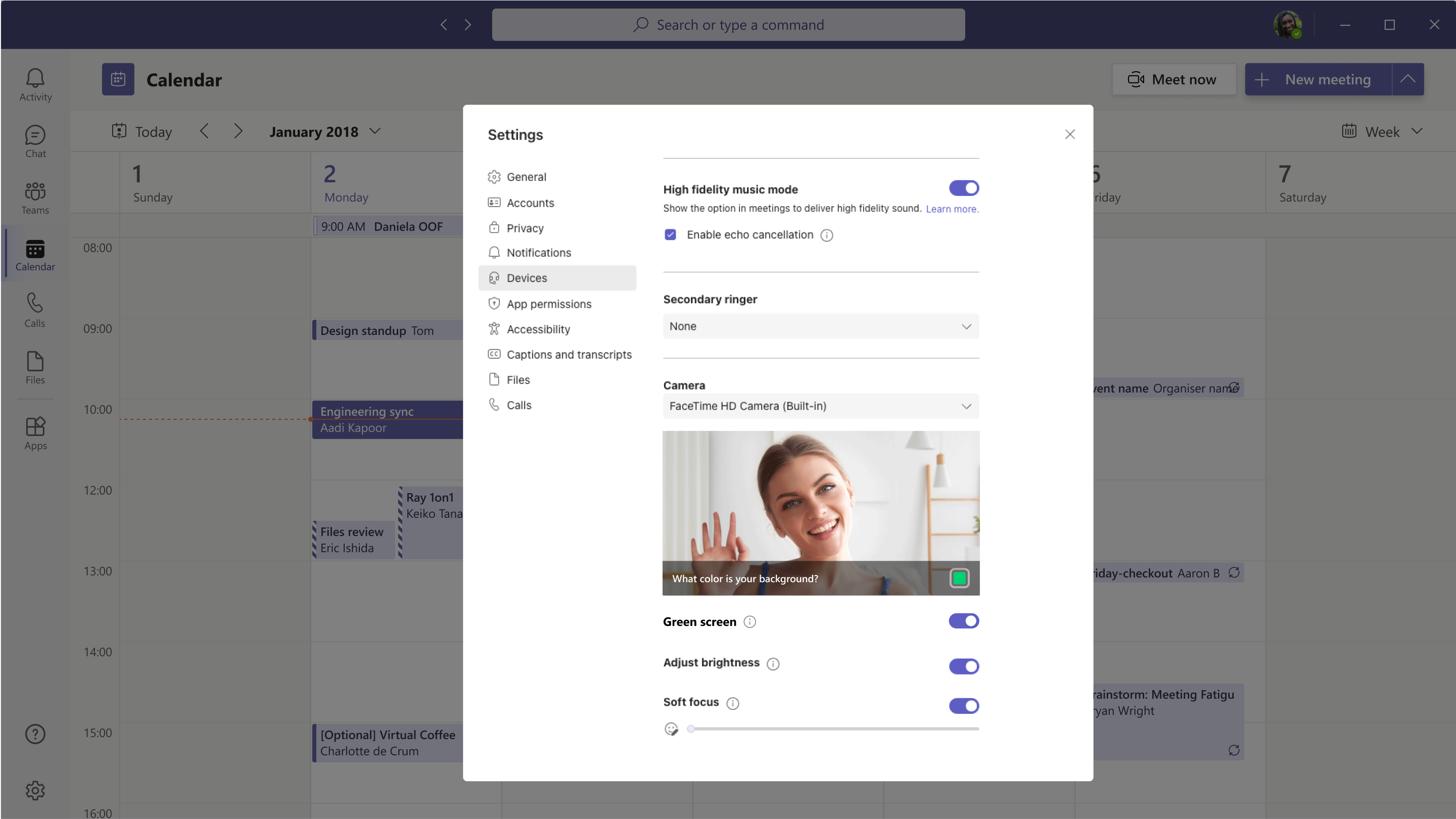
- When the “Video effects” panel page is open, go to “Green Screen Settings” in Backgrounds section and click the link to turn on the Green screen toggle button under “Teams settings -> Devices -> Green screen.”
- Click the backdrop icon and move your mouse cursor into the Preview box to manually pick backdrop color.
- Return to your meeting.
View image in new tab
View image in new tab
What you need to do to prepare:
You may want to update your training materials indicating that this feature is available to users.