


MC548106 · Microsoft Teams, Microsoft 365 Experts
From Microsoft Corporation
Technical Bulletin MC548106 · Published Apr 28, 2023
Message Summary
We are expanding the audience for this Message center post as we are getting ready to roll this change to the audience who saw the post originally, and after that to the rest of our customers per the schedule below. The product name has also changed from Zero-touch app install to Auto install approved apps.
Microsoft Teams Auto install approved apps (AAA) uses activity from your users to install and surface apps that admins have already allowed for the tenant. An admin can enable AAA to help users naturally discover and use apps that are highly relevant to their needs within Microsoft Teams. Specifically, when a user signs into specific SaaS apps using Azure AD (e.g. in web browser), the app will be installed for that user on Teams.
This message is associated with Microsoft 365 Roadmap ID 100385
AAA provides the right apps to the right users at the right time. Admins and users benefit from:
- App governance is respected: there is an admin control to turn ON/OFF, launched as default OFF. Installs will not happen for blocked apps and users.
- Last-mile delivery: admins have done the hard part of deciding which apps/users to allow. AAA simply helps roll out these apps to the right users.
- Cross-platform convenience: users can easily access the same apps they are currently using on other platforms, now in Teams.
- Discovery: many users are not aware their apps are available on Teams – AAA brings it to them without manually searching in the app store.
- License maximization: maximize the value of SaaS licenses by having the same app available on multiple platforms.

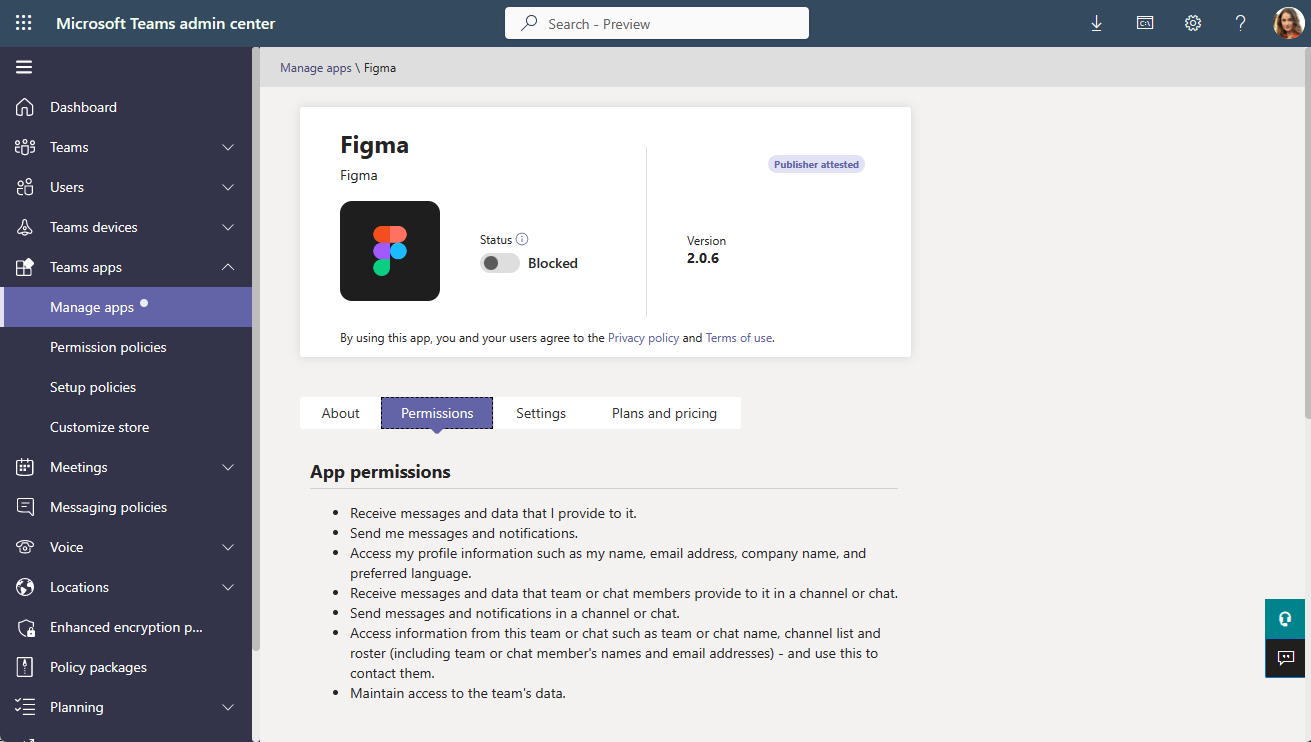
In the Teams admin center, there is also a new App permissions section in every app’s detail page that lists the app permissions. This is the same app permissions shown in the Teams client app store for every app today, now available for admins to conveniently view. This may assist you as you review the apps supported by AAA.
When this will happen:
Customers who previously received this Message center post will begin receiving this feature early May 2023 and we expect to complete by mid-May 2023.
New customers who are receiving this Message center post will begin receiving this feature mid-May 2023 and we expect to complete by early June 2023.
How this will affect your organization:
AAA respects all app governance in the Teams Admin Center.
- Admin control to turn AAA ON/OFF with the default as OFF.
- Installs only for users and apps that admins have allowed through settings and policies.
- A limited set of apps are initially supported. New apps will be deployed OFF with Message Center posts and visual indicators inside Teams Admin Center
What you need to do to prepare:
For admins, turn on AAA when it becomes available in your tenant.
- As a Global or Teams admin, navigate to the admin control: Teams Admin Center > Teams apps > Manage apps > Org-wide app settings > Auto install approved apps.
- Turn on the admin control: Auto install approved apps: ON > Save
- Confirm any AAA apps and users you want installed are allowed in your access control settings and policies. Learn more
View image in new tab
View image in new tab


Some Teams apps require Graph app permissions during use. Ensure users can smoothly use apps after installation by confirming Graph app permissions have been or can be consented. Complete one or both of the following:
- Allow users to consent to Graph permissions. This is the default setting for Azure AD and no action is needed if no admins have changed it. Learn more
- Grant admin consent to Graph permissions so users will not need to for each AAA app that users are signing into. Learn more
Note: Any user can uninstall an app installed through AAA. The user will not have the app automatically installed again, but they can reinstall it manually.
Limitations:
- Activity feed notifications are not available on the Teams mobile app